Recastia's PDF to video AI drafts narration from uploaded pages, reads it in a chosen voice, and puts an avatar presenter on screen, with every line left open to editing.
Hong Kong, Hong Kong (PRUnderground) November 5th, 2026
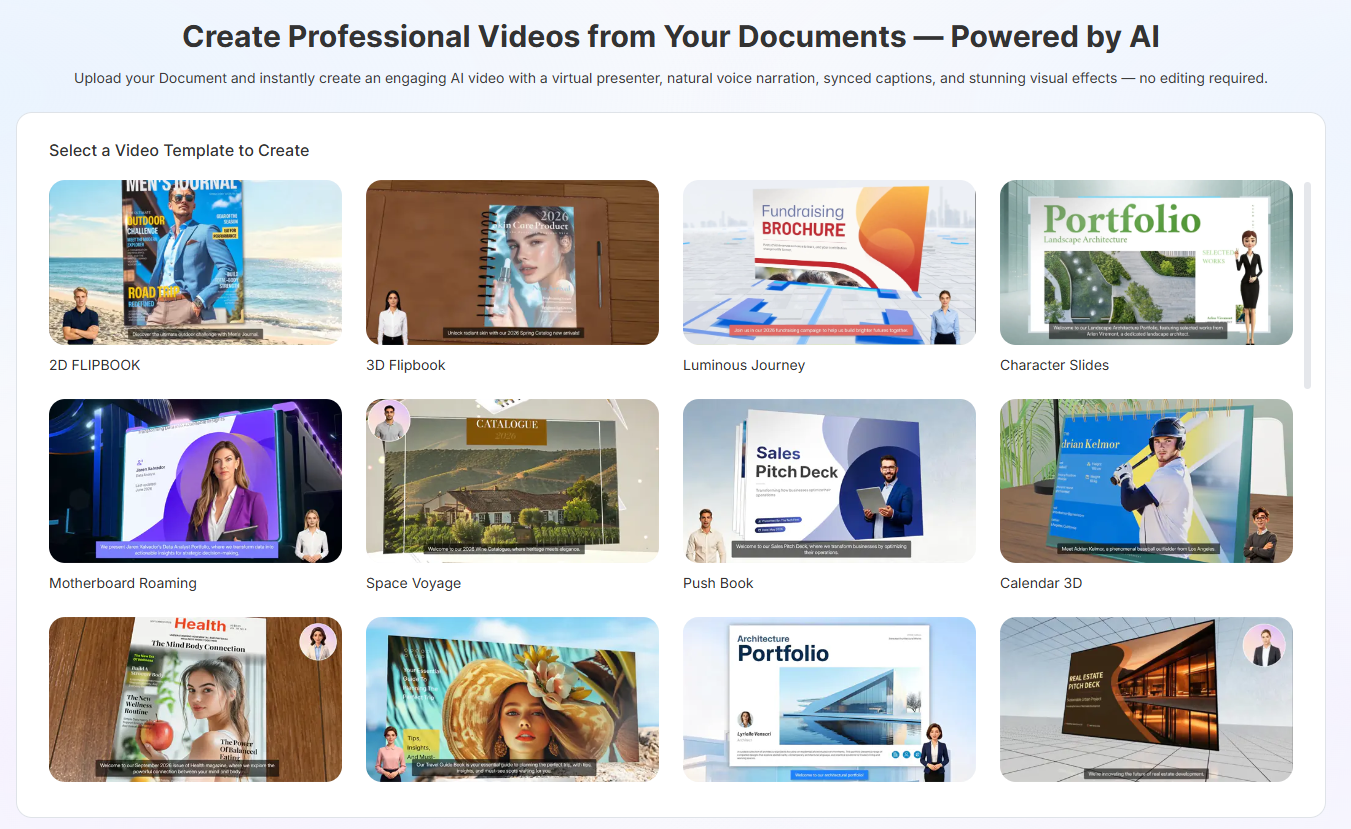
Teams that publish instructional material, product explainers, and internal briefings share one bottleneck: the writing is finished, but nobody on staff edits video. Recastia addresses that with PDF to video AI, which reads an uploaded file and builds the narration, the voice, the on-screen presenter, and the motion around pages that already exist. A training department turning a policy handbook into a staff clip and a product team turning a spec sheet into a launch video both start from the same upload.
Script writing is where the PDF to video AI does most of its work. After the upload, each selected page gets its own narration field, and an AI Copywriting drafter can write that text from the page content when a user would rather not compose it. The drafter outputs in 29 languages, which lets one source document feed a local-language version and an export version without a separate translation round. Any drafted line stays editable, so a legal or compliance reviewer can correct wording before a single frame renders.
Delivery is chosen separately from the script. The voice menu carries 13 AI voices, each labeled with a tone, including Coral for a friendly and approachable read, Alloy for a neutral and balanced one, and Ash for a clear and professional one, and the list continues to grow. For an on-screen presenter, the PDF to video AI draws on hundreds of realistic and cartoon avatars across categories such as Lip Sync, IP Cartoon, and Professional Cartoon, and an uploaded image can serve as a custom avatar instead.
Visual treatment comes from a template library of more than 40 options, so identical narration can appear as a Page-Flipping Book, a Presenter Slideshow, an Outdoor Billboard, a Cinematic Camera sweep, or a Vertical Scroll built for phone screens. Background music is picked from close to a hundred tracks, backgrounds can be a solid color or an uploaded image, and a subtitle toggle decides whether captions appear, letting PDF to video AI output match a channel rather than a default house style.
The same source file supports a second kind of output for audiences who would rather ask than watch. Uploading that PDF to the AI chatbot builder produces an assistant that answers questions from the document's own content, shown beside the pages with an avatar, read-aloud playback, and typed or spoken input. A product manual can therefore reach customers as a PDF to video AI clip and as a question-answering companion generated from the identical file.
"Most teams do not need another editing suite, they need the document to do more of the work," said Winston Zhang, CEO of Recastia. "Opening up the script, the voice, and the presenter means PDF to video AI produces something a team recognizes as theirs, not a stock template with a logo dropped on it."
To learn more about PDF to video AI, please visit Recastia.
About Recastia
Recastia Co., Ltd. develops Recastia, an AI-powered platform that rebuilds a single uploaded document into video, flipbooks, slide presentations, podcasts, landing pages, chatbots, and 3D exhibitions. The company serves marketing, education, sales, and training teams that need existing material to appear across several channels without running a separate production project for each one.