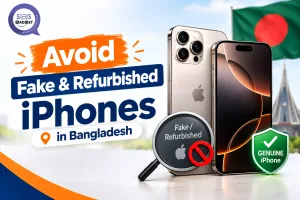
When buying iPhones in Bangladesh, there are two things to worry about: first, iPhones built to look like counterfeits; second, genuine Apple iPhones that have been refurbished and sold as new. There are different ways to tell if an iPhone is counterfeit or if an iPhone that is sold as new is actually refurbished. These checks cannot be replaced by trusting a store’s reputation or by believing a seller’s description. Counterfeit iPhones and refurbished iPhones that are sold as new can look genuine and can be convincing to customers. Therefore, always verify iPhones before relying on your judgment.
This guide will show different verification methods that should be performed before purchasing an iPhone and will use SMS Gadget as an example. SMS Gadget will not replace other authorized retailers in Bangladesh where iPhones can be purchased. The same verification methods should be performed before purchasing an iPhone from any retailer in Bangladesh.
The Two Problems You’re Actually Avoiding
Counterfeit Devices
These are fake hardware devices, sometimes running modified software specifically designed to mimic iOS closely enough to fool a glance. The interface might look convincing at a casual glance, complete with familiar icons and app layouts, but the underlying hardware, performance, and core feature set won’t hold up to real scrutiny once actually tested.
Undisclosed Refurbished Units
This is the subtler, more common problem in practice: genuine Apple hardware, previously used and restored to look close to new, sold as if it were factory-sealed with no disclosure of its actual history. Nothing about the hardware itself is fake here, the issue is honesty about condition, and it’s easy to miss without specifically checking for the signs.
Universal Checks—Run These Regardless of Retailer
Serial Number and IMEI—Check Multiple Locations
The serial number and IMEI should match across three places: Settings → General → About, the physical SIM tray, and the printed label on the box. Cross-checking the serial number through Apple’s own check coverage. apple.com adds another layer of confirmation, since it pulls directly from Apple’s own records rather than relying on anything printed on the device or packaging. Worth being honest about the limitation here: a serial or IMEI number can theoretically be copied onto a counterfeit device, so treat this as one layer of verification, not the only proof needed, it should always be combined with the other checks below, not relied on in isolation.
Activation Lock Status
A genuine new iPhone should show standard, expected Activation Lock behavior during setup, anything unusual or inconsistent with how a fresh device normally behaves is worth pausing over before continuing, since Activation Lock issues often point to a device with an unclear or undisclosed prior ownership history.
Software and Core Feature Test
Confirm that the device is genuinely running iOS and not a disguised Android build made up to seem similar, which becomes clear immediately after you test the program rather than just looking at the home screen. Test Siri, stroll through Face ID setup, and ensure App Store access all work as predicted; a plausible counterfeit case is nothing if the fundamental software experience fails to withstand even minimal testing.
Battery Health
Under Settings → Battery → Battery Health, anything reading below 100% signals prior use, regardless of how sealed the box looked or how confidently “new” was claimed at the point of sale. This single check is one of the fastest, most reliable ways to catch an undisclosed refurbished unit, since battery wear is very difficult to fake or reset.
Build and Packaging Inspection
Precise logo alignment, a consistent button feel across the frame, sharp and clean box printing, and an undisturbed security seal are all physical signals worth checking closely—inconsistencies in any of these are easy to miss at a glance but become obvious once actually looked for directly, rather than assumed to be fine based on overall first impressions.
What to Check Specifically When Buying From an Authorized Retailer Like SMS Gadget?
Confirm Authorized Status
SMS Gadget states it sells only genuine Apple devices sourced through official channels. Verify that claim the same way you would for any retailer: check warranty documentation and BTRC/NEIR registration status directly, rather than taking the label at face value.
In-Store Inspection Before Purchase
Authorized retailers with real physical branches, iPhone Shop in Bangladesh listings, show SMS Gadget operating 13+ locations across the country, let buyers run the IMEI, serial number, and battery health checks in person before any money changes hands. This is a genuine advantage worth actually using rather than skipping, especially compared to buying sight-unseen through a listing with no in-person option at all.
Ask Directly About New vs. Refurbished Stock
Confirm explicitly, out loud, whether the specific unit you’re buying is new or refurbished, and ask that the receipt or invoice reflect that answer in writing. A verbal assurance alone isn’t something to fall back on later if the claim turns out to be wrong.
Red Flags Regardless of Where You’re Buying
- A price sitting significantly below the going market rate for the same model and storage configuration
- A seller unwilling to allow verification checks before payment is completed
- Packaging or seals that look disturbed, re-taped, or otherwise inconsistent with genuine factory sealing
Frequently Asked Questions
Does a lower-than-usual price always mean the iPhone is fake or refurbished?
Not always, but it’s a strong signal worth checking closely, a price sitting well below current iPhone price listings from established retailers often points to a counterfeit, an undisclosed refurbished unit, or a device missing proper warranty backing. Comparing against a few trusted sources before buying makes it easy to spot when a deal looks unusually low for a reason.
Can a fake iPhone pass a serial number check?
In theory, yes, a counterfeit device can have a copied or spoofed serial number entered into its software. That’s exactly why a serial check should be treated as one verification layer among several, not the single, final proof of authenticity on its own.
How do I know if an iPhone is refurbished instead of new?
Checking battery health is the most reliable quick signal, anything reading below 100% indicates prior use. Asking the seller directly and requesting written confirmation of new-vs-refurbished status on the invoice adds a second layer of protection.
What should I check in person before buying at an authorized retailer?
Run the IMEI and serial number cross-check across Settings, the SIM tray, and the box, test core features like Face ID and Siri, check battery health, and inspect the packaging and seal closely, all of this is possible to do in-store before paying, and it’s worth taking the time to do it.
Is SMS Gadget an authorized Apple retailer in Bangladesh?
SMS Gadget states it sources genuine Apple devices through official channels. As with any retailer’s claim, it’s worth independently confirming through warranty documentation and BTRC/NEIR registration status at the time of purchase, rather than relying on the label alone.
Final Thoughts
This verification checklist protects a buyer regardless of which retailer ends up being the final choice, run it every time, even at an established, authorized-sounding store, since a few minutes of actual checking is the real safeguard here, not a retailer’s name on its own. Before paying, request in writing whether the specific unit is new or refurbished, and complete the IMEI, serial number, and battery health checks directly- a small amount of effort that protects a genuinely significant purchase.